You're Losing Your Best AI Insights. Here's How to Stop.
Your best AI insights disappear into chat history. Knowledge Base captures them before they vanish.
You spend 45 minutes getting Claude to nail a tricky async bug. The solution is elegant. You ship it. You move on.
Three days later, a teammate hits the same bug. You know you solved it — but which chat? Which thread? After twenty minutes of searching, you give up and start from scratch.
That solution you already paid for? Gone.
Alex debugs a race condition with Claude on Monday. Ships the fix in 30 minutes. Thursday, a different service hits the same pattern. He can’t find the conversation. Another 30 minutes, same solution.
What if on Monday he’d just said:
“Save this debugging solution to my knowledge base and tag it ‘async’.”
Thursday, he searches “race condition” and finds it in seconds. His teammate finds it without asking.
Knowledge Base: Where Insights Survive
A searchable notes system for one job — capturing what comes out of AI conversations before it vanishes.
Your AI agents save notes directly through MCP tools. You say “remember this,” and they do. Full markdown, tags for filtering, summaries for scanning.
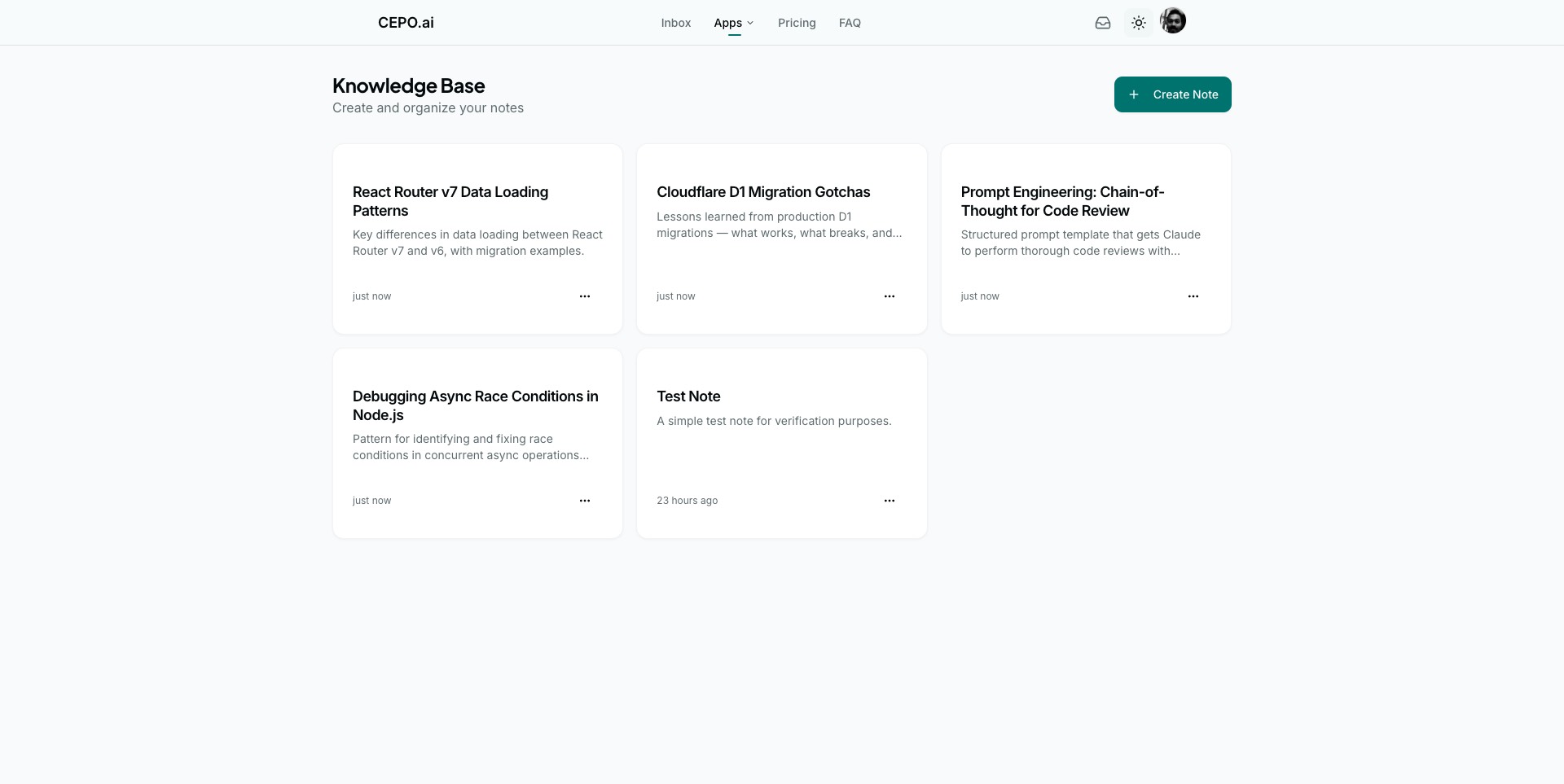
Backend engineers save debugging patterns. Frontend developers tag component recipes by framework. Prompt engineers store templates by use case. Everything searchable, tagged, and accessible — not buried in a chat transcript you’ll never reopen.
How It Works
- Pick your tools. Check the boxes for what this agent should access.
- Paste one link. Copy the endpoint URL into your AI client.
- Say “save this.” Your AI handles the rest.
No config files. No API keys. No infrastructure.
Your KB contains hard-won solutions — every note is time already invested. Each connection is scoped so tightly it can only do what you’ve allowed. Remove a tool, and existing sessions must re-authenticate. The system enforces boundaries that humans forget to.
We also shipped MCP Hub — where you control exactly which tools from which apps are available to each AI agent. A coding assistant that can save notes but can’t trigger approvals. A research bot that can search your KB but can’t modify it. Different agents, different permissions, one place to manage it all.
Start Free. Right Now.
Knowledge Base is free — 5 notes to start. When it becomes the first place you check before any AI conversation (it will), upgrade to Pro and never hit a wall.
Open Knowledge Base and stop solving the same problems twice.