
Your AI Agent Has Too Many Tools. That's the Problem.
Most agents do their best work with 2–4 tools. You're giving them 30. MCP Hub lets you strip each agent down to only what it needs.
You connect your AI agent to an MCP server — the open protocol that lets AI clients like Claude Desktop, Cursor, and VS Code call external tools. Suddenly it has 30 tools. Knowledge base, approvals, prompt templates, tagging, search — everything, all at once.
Now ask it to save a debugging fix.
It searches your KB first. Finds a vaguely related note from last week. Tries to update that note instead of creating a new one. Tags it “meeting-notes” for reasons no one can explain. Then creates an approval request nobody asked for. Four tool calls. Zero useful output.
Most agents do their best work with 2–4 tools. You’re giving them 30.
More tools don’t make agents smarter. They make them distracted.
The Fix: Fewer Tools, On Purpose
MCP Hub lets you create Custom MCPs — endpoints where you hand-pick only the tools this specific agent should have.
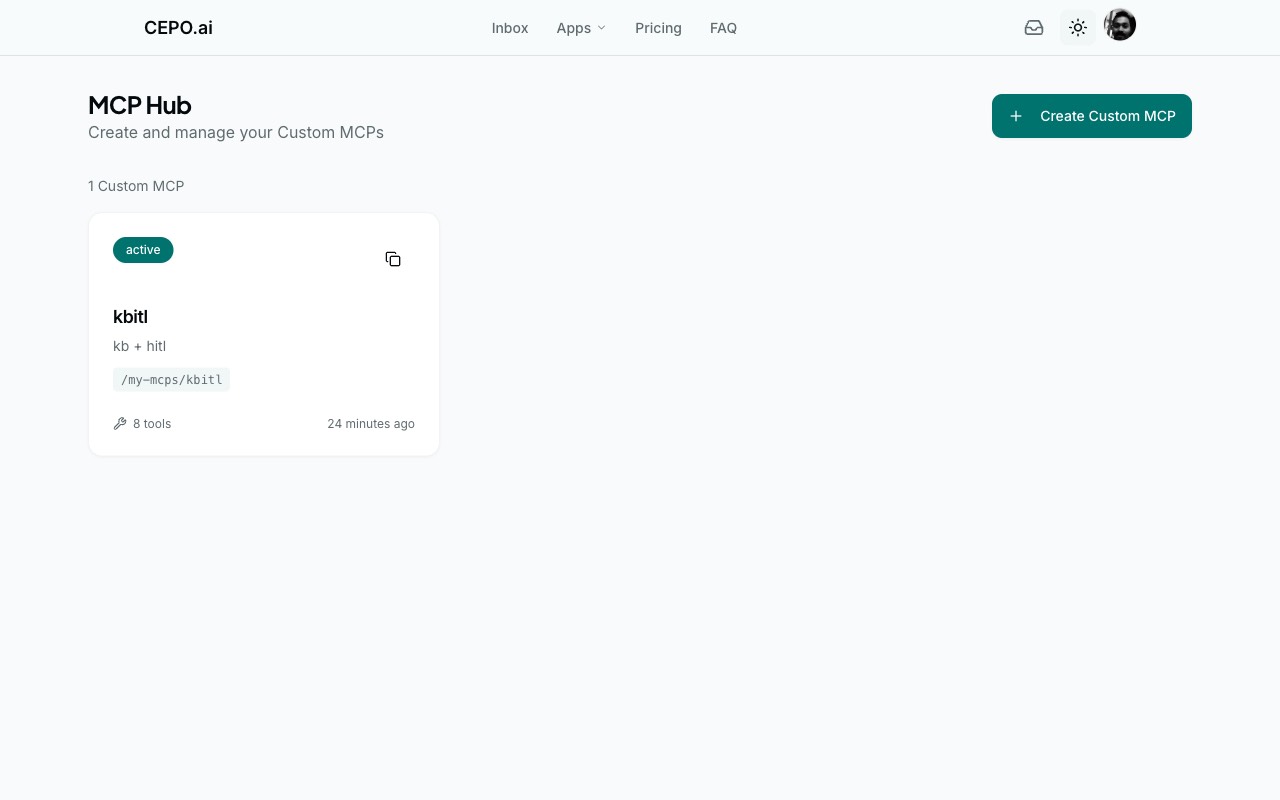
Here’s one called kbitl — KB + HITL. How clever a name.
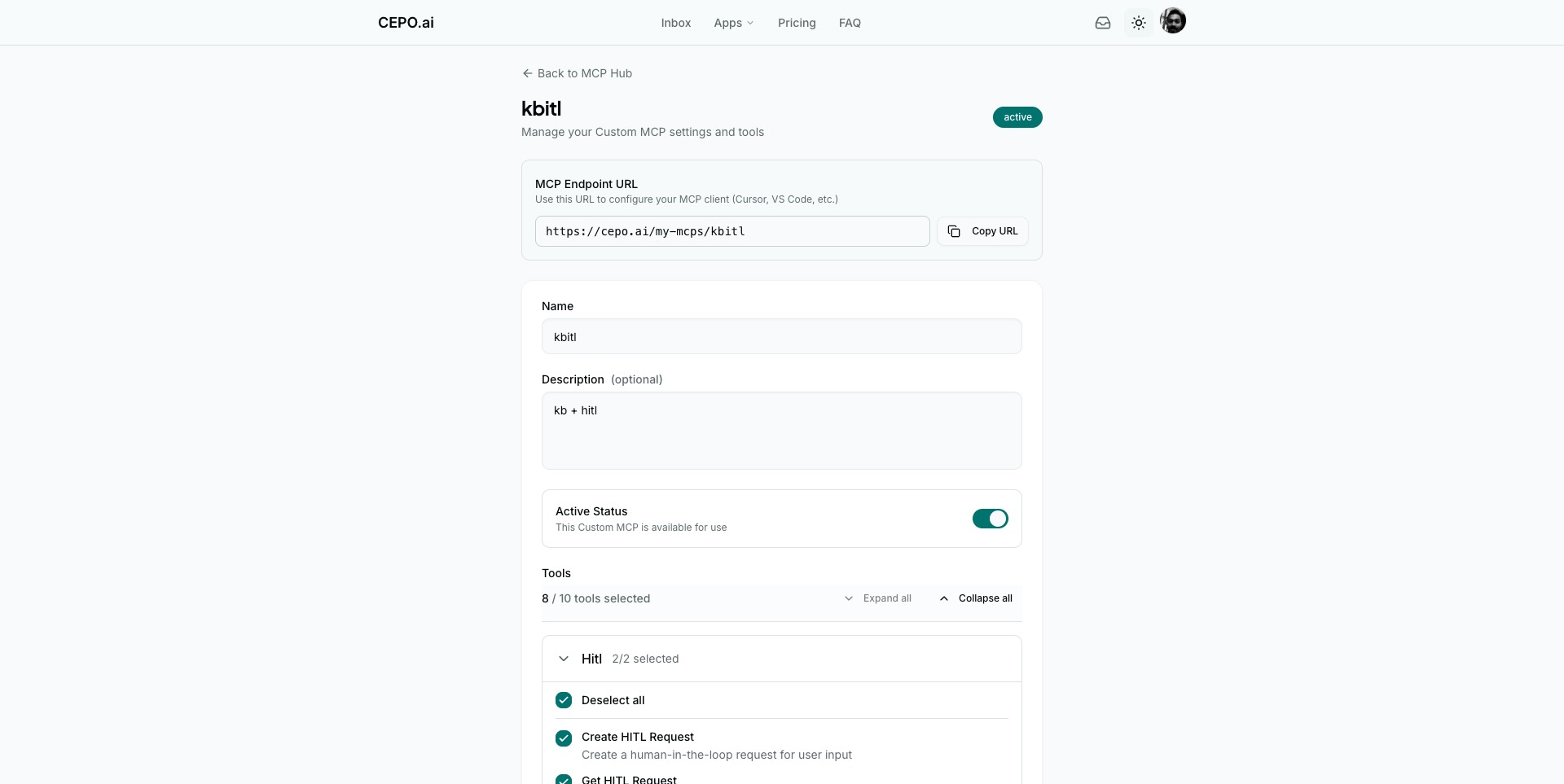
Its endpoint: https://cepo.ai/my-mcps/kbitl (behind OAuth — your agent authenticates before it can call anything).
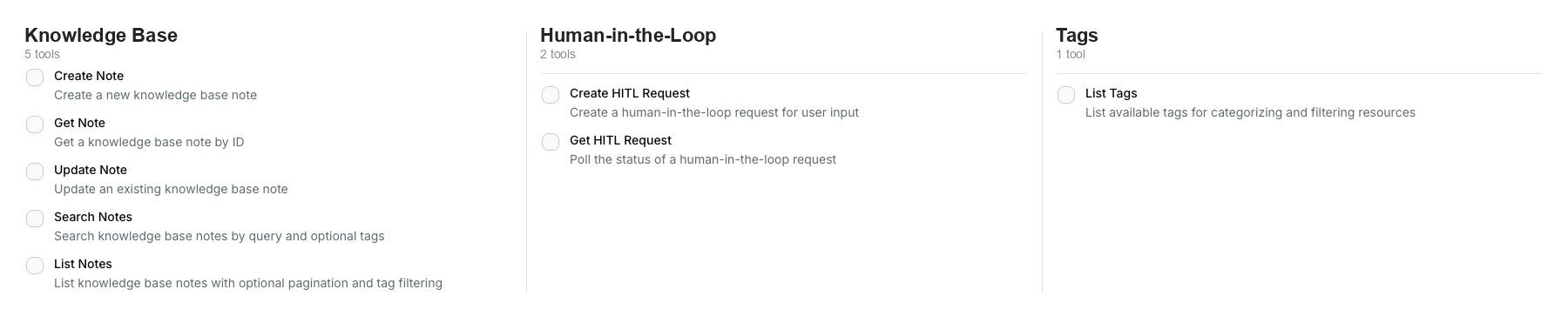
Tools are grouped by app — Knowledge Base, Human-in-the-Loop, Tags — and you check the boxes. Unchecked tools don’t exist for that agent. It can’t see them, can’t call them, can’t get distracted by them.
Each Custom MCP gets its own endpoint URL that you paste into Claude Desktop, Cursor, VS Code, or any MCP-compatible client.
Strip It Down. Watch It Work.
- Your coding assistant used to see 30 tools. Now it sees 2 — KB write and search. It saves solutions and finds past ones. The 28 tools it doesn’t need are gone, and it hasn’t made an irrelevant tool call since.
- Your research agent went from 30 tools to 3. It searches, retrieves, and lists. It can’t create, update, or delete — so it stays focused on finding, not organizing.
- Your meeting assistant lost everything except HITL and KB write. It creates approval requests and saves meeting notes. Nothing else to wander into.
Same platform, same user. Each agent stripped to exactly its job.
Imagine your agent making one clean tool call instead of four confused ones. That’s what happens when you remove the tools it was never supposed to use.
Enforced at the Protocol Level
This isn’t a policy you hope the model follows — it’s enforced at the protocol level. A KB-only MCP literally cannot call HITL endpoints. The tools aren’t hidden. They don’t exist.
Change the tools? Every existing token is automatically invalidated. Agents re-authenticate with updated permissions. No stale access, no drift.
Three Steps
- Name it.
- Pick the tools.
- Paste the URL.
Start Free
Create your first Custom MCP free — give one agent a focused toolset in under a minute.
Create your first Custom MCP. Your agent doesn’t need 30 tools. Give it three and watch it actually work.